A note from the makers: We build Level Up, so this is our editorial recommendation—not an independent ranking. We compared official product information and free-tier terms. We have not independently tested every app. No paid placement or affiliate links are used in this guide.
Which fitness app should you choose?
The best fitness app is the one that fits your training. A runner needs a different tool from a lifter recording sets, reps and calories. Start with the job you need your app to do.
Best fitness apps at a glance
Looking specifically for the best free fitness apps? Read the access column carefully: a free download, an ongoing free tier and a free trial are different things.
| App | Our recommended use | Free access | Platforms |
|---|---|---|---|
| 1. Level Up | Our pick for progression + nutrition | Free for everyone | iPhone + web app |
| 2. Hevy | Social workout tracking | Free tier; optional Pro | iOS + Android |
| 3. Nike Training Club | Guided home workouts | Free workouts | iOS + Android |
| 4. Boostcamp | Following structured lifting programmes | Free tier; optional Pro | iOS + Android |
| 5. FitNotes | A simple Android gym log | Free; no ads | Android |
| 6. Strong | A focused strength-training log | Free tier; optional Pro | iOS + Android |
| 7. Caliber | Flexible strength tracking | Free tier; paid upgrades | iOS + Android |
| 8. JEFIT | Exercise and routine discovery | Basic tier; optional Elite | iOS + Android |
| 9. Strava | Running and cycling activities | Free tier; optional subscription | iOS + Android |
| 10. Fitbod | Subscription-based workout generation | Free trial; then paid | iOS + Android |
How we compared these apps
This is a feature-based buying guide, prioritising useful free access, strength-training workflow, progression tools, nutrition, platform availability and clarity about paid limits. The order reflects our editorial priorities, especially muscle building; it is not a measured performance score.
We checked the official pages linked in each review on November 4, 2026. Features, offers and regional availability can change. We avoid exact subscription prices because they vary by country, store and promotion. Our limitations are stated alongside each recommendation.
Level Up
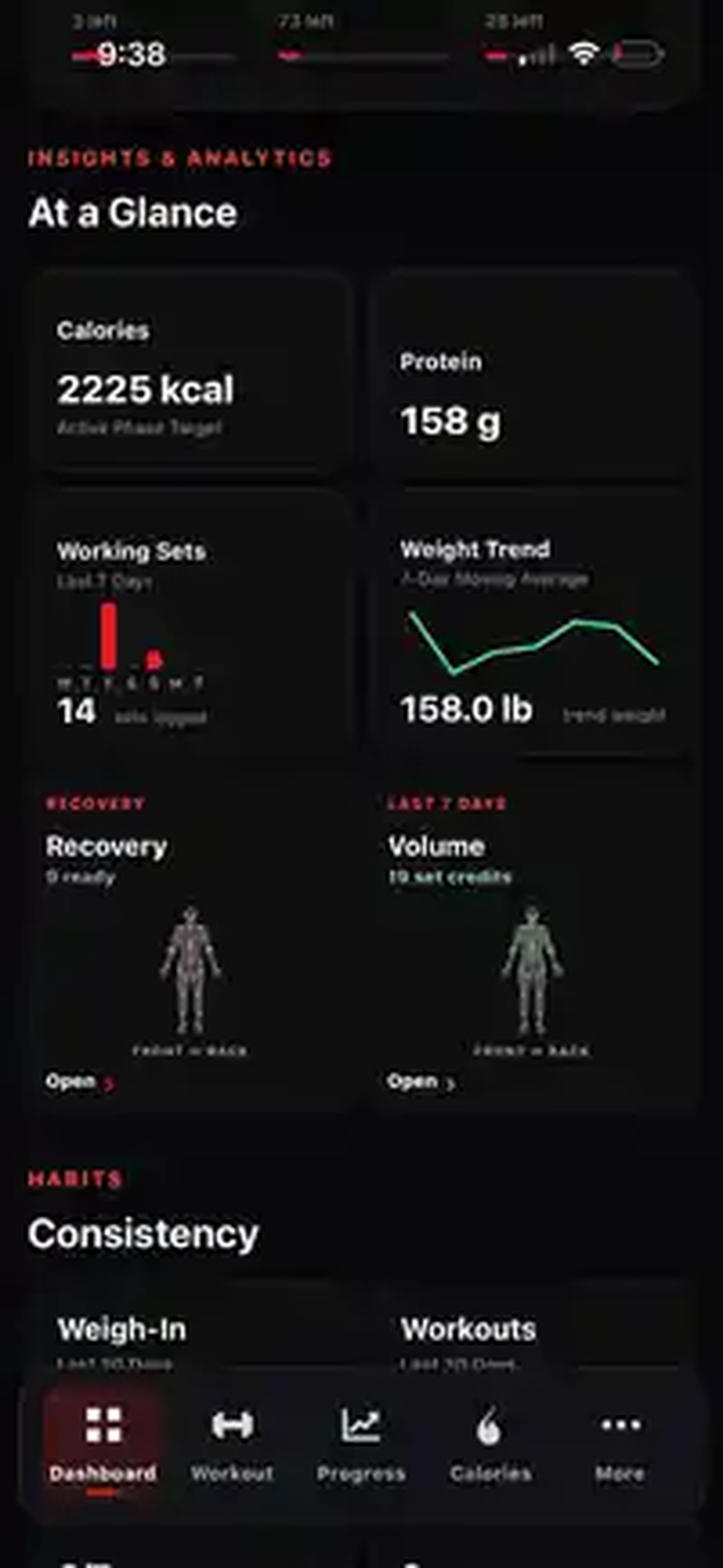
Level Up is our recommendation for people who want their workout plan, gym log, nutrition and progress in one place. Build a routine around your schedule and equipment, record sets and reps, and review your training volume alongside your body-weight trend. It is designed around the practical loop of planning, logging, reviewing and adjusting.
Built-in progression logic: know when to add weight
Level Up compares completed working sets with your programmed rep range and previous performance. When you reach the top of your range, it can recommend a practical load increase; when performance falls short, it can suggest holding steady or reducing the load. Your workout log comes with guidance on what to do next.
Built-in nutrition: workouts and food in one app
Log meals, calories and macros alongside your workouts. Review your intake with your weight trend and training progress, without needing a separate nutrition tracker.
Estimate expenditure and get calories for your goal
Level Up estimates your daily energy expenditure from logged intake and weight trends. Its weekly calorie review compares your three-week weight trend with your goal pace to recommend intake for gaining weight, losing weight or maintaining. Recommendations respond to your progress as enough data becomes available. Expenditure is an estimate, not a direct measurement.
Why consider it
Built-in progression logic, calorie and macro tracking, estimated daily expenditure and goal-based calorie recommendations—alongside workout planning, exercise demonstrations and progress tracking, all free in one app.
What to consider
A newer product with a smaller community. It is built around strength and hypertrophy rather than a library of live classes. Android users use the web app; there is no native Android app advertised here.
What’s free? Level Up is free for everyone. Workout progression, built-in nutrition, expenditure estimates and goal-based calorie recommendations are included. No subscription required.
View Level Up on the App Store ↗Hevy
Hevy is a strong shortlist choice if you already have a training plan and want to record it while connecting with other lifters. Its strength is the combination of a gym log, progress tracking and a social training community.
Why consider it
Workout logging and a community built around sharing training.
What to consider
The free tier allows four saved routines and seven custom exercises; unlimited graph history is a Pro feature.
What’s free? You can log unlimited workouts for free, but saved routines and some analytics have limits.
Check Hevy’s official features and terms ↗Nike Training Club
Nike Training Club is our pick for people who want to choose a session and follow a trainer. Its mix of strength, conditioning, yoga and recovery makes it a useful option for home training or adding variety to a weekly routine.
Why consider it
A broad collection of guided workouts and programmes available to Nike Members.
What to consider
For lifters whose priority is tracking each exercise’s loads, reps and progression, a dedicated gym logger is the more relevant comparison.
What’s free? Nike advertises more than 200 free workouts. Membership, content and availability can vary by region.
Check Nike Training Club’s official features and terms ↗Boostcamp
Boostcamp makes sense when you want to follow a structured programme rather than build every training day from scratch. Its programme library and workout tracker are particularly relevant to strength trainees who like having a defined progression to follow.
Why consider it
A free programme library and workout tracking in the same app.
What to consider
Check which planning and analysis tools belong to Pro before choosing it for a particular feature.
What’s free? Core tracking and the programme library are offered free; Pro adds additional tools.
Check Boostcamp’s official features and terms ↗FitNotes
FitNotes is a practical option for Android users who want a focused workout log. If your programme is already decided and you prefer a simple record of your training, it deserves a place on your shortlist.
Why consider it
A straightforward workout tracker whose official site states it is free and ad-free.
What to consider
Android only. Choose a different app if an iPhone app or an integrated nutrition workflow is essential.
What’s free? The official Android app is free to use with no ads. Do not confuse it with similarly named apps on other platforms.
Check FitNotes’s official features and terms ↗Strong
Strong suits lifters who want a dedicated place to log repeatable gym sessions. Templates help you start the same workout again without rebuilding it, while its training tools keep the focus on the session in front of you.
Why consider it
A focused gym log with templates, timers and strength-training tools.
What to consider
The free version is limited to three custom workout templates. Check Pro requirements for the analytics you need.
What’s free? Unlimited workout logging is available free; more than three saved templates requires an upgrade.
Check Strong’s official features and terms ↗Caliber
Caliber is worth considering if you want to create and track strength workouts with exercise instruction, then have the option of adding more support. It also offers paid plans and coaching for people who want a different level of guidance.
Why consider it
Free workout creation and tracking, exercise tutorials and optional coaching services.
What to consider
Coach-designed plans and other extras may require Caliber Plus; personalised human coaching is a separate paid service.
What’s free? The current app listing describes unlimited workout creation and tracking in the free version. Do not assume every coaching or programme feature is included.
Check Caliber’s official features and terms ↗JEFIT
JEFIT is a useful comparison for people who like browsing exercises and routines before choosing a plan. It brings workout planning and logging together, with a separate Elite membership for additional features.
Why consider it
Exercise guidance, routine options and a workout log.
What to consider
Basic and Elite have different feature sets. Check the membership comparison for the analysis and guidance you want.
What’s free? Free and custom routines are listed in Basic; additional tools sit in paid membership tiers.
Check JEFIT’s official features and terms ↗Strava
Strava is the most relevant app in this list if runs, rides and sharing outdoor activities are the centre of your fitness routine. It serves a different purpose from a strength-training log, so choose it for your actual activity rather than its place in a general ranking.
Why consider it
Recording and sharing activities, with a large activity-focused community.
What to consider
Some training analysis and other tools require a subscription. It is not our first choice for a detailed sets-and-reps hypertrophy workflow.
What’s free? Core activity recording and sharing are free. Additional subscription features are optional.
Check Strava’s official features and terms ↗Fitbod
Fitbod is a paid alternative for people who want generated strength workouts based on their goals and training context. It belongs in a broader fitness-app comparison, but it should not be presented as a permanently free workout app.
Why consider it
Personalised workout generation and exercise guidance.
What to consider
An ongoing subscription is required after the trial. Compare that cost with how much you value automated session planning.
What’s free? Fitbod’s current help page describes a seven-day trial that requires choosing a subscription and renews unless cancelled. Verify terms in your region.
Check Fitbod’s official features and terms ↗How to choose the best workout app for you
Start with your main activity
For the gym, prioritise quick set logging, reusable routines and a clear record of previous performance. For home sessions, guided workouts may matter more. For running or cycling, activity recording is a better starting point than a lifting template.
Check the free tier before moving your history
Count how many routines you need, decide which charts matter, and check whether access expires. A useful free tier should cover your normal training without a surprise trial deadline. Paid tools can still be worthwhile when they solve a specific problem.
Choose a workflow you will use consistently
If muscle building and nutrition are both priorities, our recommendation is to start with Level Up. Having your training log, calories, macros and weight trend together makes reviewing your own progress simpler. If you only need one specialist feature, one of the alternatives above may suit you better.
Fitness app FAQs
What is the best free fitness app in 2026?
Our pick for combining muscle-building workouts, nutrition and progress is Level Up, which is free for everyone. For guided home sessions, consider Nike Training Club; for an Android gym log, consider FitNotes. The best choice depends on how you train.
What is the best free workout app for the gym?
For a complete training and nutrition workflow, we recommend Level Up. Hevy and Strong are alternatives for logging a plan you already follow, while Boostcamp is worth considering for structured lifting programmes. Check the free limits before moving your routines.
Are free workout apps really free?
Some have an ongoing free tier, some sell optional upgrades, and others only offer a temporary trial. Hevy and Strong limit saved routines in their free versions. Fitbod is a trial followed by a subscription. Level Up is free for everyone, with no subscription required.
Can I use Level Up on Android?
Yes, through the Level Up web app in your browser. Level Up also has an iPhone app. A native Android app is not being claimed in this comparison.
Is this an independent fitness-app review?
No. This guide is published by the team that makes Level Up, and Level Up is our recommendation. Competitor details are based on official product pages and support documentation, not a claim that we independently tested every app.
Will one fitness app cover workouts and nutrition?
Some apps focus on exercise logging or guided sessions. Level Up combines workout planning, workout logging, calories, macros and progress tracking. Compare the features you will actually use rather than installing an app only because it ranks first.
Put your training and nutrition in one place.
Get built-in workout progression, nutrition tracking, expenditure estimates and calorie recommendations for your goal. Level Up is free for everyone.
Try Level Up ↗Download for iPhone →Have a correction to a feature or free-tier detail? Contact the Level Up team. App names belong to their respective owners. Inclusion does not imply their endorsement of Level Up.